
- 2024-06-12
- ELSAYED ELISSAWI
- (0)
- Uncategorized
Maximize your Google Ads impact, watch conversions soar
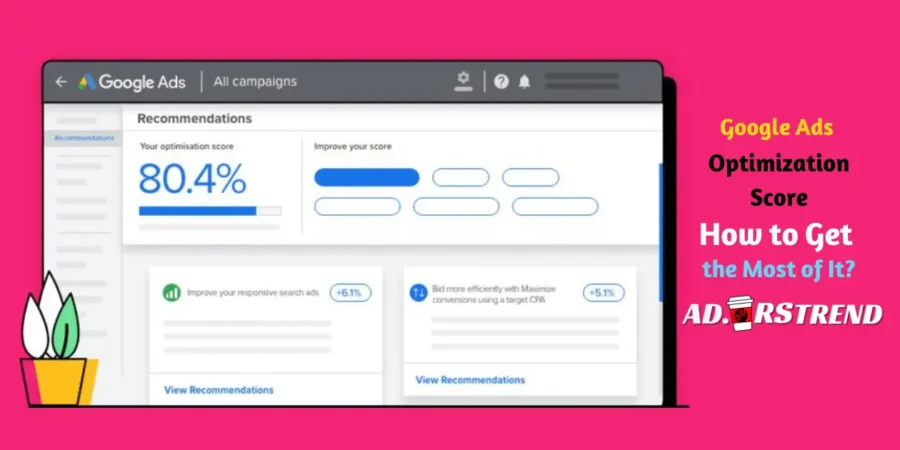
Google Ads Optimization Score is a valuable tool that provides insights into how well your Google Ads campaigns are performing. It offers suggestions for improvement and predicts how these changes can impact your campaign performance.
Understanding Google Ads Optimization Score
The Optimization Score ranges from 0% to 100%, with 100% meaning that your campaign is set to perform at its full potential. The score is calculated in real time, based on the statistics, settings, and trends in your account.
Importance of Google Ads Optimization Score
Optimization Score is more than just a number. It’s a dynamic, actionable metric that guides you in making informed decisions about your Google Ads campaigns.
How to Improve Your Google Ads Optimization Score
1. Implement Google’s Recommendations
Google Ads provides recommendations tailored to your specific campaigns. Implementing these suggestions can improve your Optimization Score.
2. Regularly Monitor and Update Your Campaigns
Regular monitoring and updating of your campaigns can lead to a higher Optimization Score. This includes adjusting bids, updating keywords, and refining target audiences.
3. Use Smart Bidding Strategies
Google’s smart bidding strategies use machine learning to optimize your bids for conversions or conversion value. Implementing these strategies can boost your Optimization Score.

Unlock the Power of B2B PPC Advertising
What are some common Google Ads recommendations?
Common Google Ads Recommendations:
- Implement Comprehensive Keyword Research: Use tools like Google Keyword Planner and SEMrush to discover high-value, low-competition keywords.
- Write Compelling Ad Copy: Craft compelling ad copy that resonates with your audience, using clear language and compelling CTAs.
- Optimize Ad Extensions: Provide additional information, such as location, phone number, special offers, and customer reviews.
- Implement Negative Keywords: Regularly update your negative keyword list to optimize your Google Ads campaign and maximize ROI.
- Use Optimized Ad Rotation: This can help improve the performance of your ads.
- Add Responsive Search Ads: These are flexible ads that automatically adjust their size, appearance, and format to fit available ad spaces.
How can I track my Optimization Score over time?
Tracking Optimization Score Over Time:
- Google Ads calculates the Optimization Score in real-time, based on the statistics, settings, and the status of your account and campaigns.
- You can track changes in your Optimization Score by checking your account’s Change history page.
- You can also compare your Optimization Score over different periods by selecting the ‘Compare’ option next to the date range in the top right-hand corner of your screen
Are there any pitfalls to avoid when optimizing Google Ads campaigns?
Pitfalls to Avoid When Optimizing Google Ads Campaigns:
- Ignoring Negative Keywords: Negative keywords can prevent your ads from showing up for irrelevant queries, saving your ad budget for more pertinent prospects.
- Bidding Broadly: Broad match keywords can trigger your ads to show up for a more diverse array of search queries compared to exact or phrase matches.
- Using the Wrong Conversion Actions: Make sure to use the right conversion actions for your campaign goals.
- Pairing Smart Bidding with the Wrong Goal: Ensure that your bidding strategy aligns with your campaign goals.
- Auto-Applying Recommendations Without Review: Always review the recommendations before applying them.
- Underfunding Your Campaigns: Make sure to set a realistic budget for your campaigns.
Improving Quality Score in Google Ads:
- Provide Relevant Content: Ensure your content is useful and offers genuine value.
- Optimize Your Keywords: Keywords are an essential factor that will decide whether your ads can perform well and get you the results you need.
- Improve Your Landing Page Experience: The information on the landing page should correspond to what the ad is offering, and vice versa.
- Improve Landing Page Load Time: A faster loading page can lead to a better user experience.
- Make Use of Ad Extensions: Ad extensions can provide additional information and improve the click-through rate.
- Restructure Your Campaigns and Ad Groups: Look for ways to restructure your campaigns and ad groups and edit low CTR ads to boost ad group QS.
Responsive Search Ads:
- Responsive search ads are a type of ad where an advertiser can write multiple headlines and descriptions for a search engine ad.
- You can have. variations of titles and four descriptions for one ad.
- Google Ads tests different combinations and learns which combinations perform best.
- By adapting your ad’s content to more closely match potential customers’ search terms, responsive search ads may improve your campaign’s performance.
- It’s recommended to have one responsive search ad per ad group with at least ‘Good’ or ‘Excellent’ Ad Strength.
Connecting with Ad.wrstrend and Digital Marketing Agencies
As we wrap up this article, it’s important to note how these Google Ads strategies can be effectively utilized by classified ad platforms and digital marketing agencies like Ad.wrstrend.
By understanding and implementing these strategies, such platforms can optimize their ad campaigns, reach a wider audience, and ultimately drive more traffic to their listings.
This not only benefits the platform itself but also the businesses and individuals who use it to advertise their products or services.
So, whether you’re a small business owner looking to attract more customers, or a digital marketing agency aiming to maximize your clients’ ad performance, these Google Ads strategies can be a game-changer. Happy advertising!



Leave a Reply